How to Calculate Position Size for Safer Trading
A practical, beginner-friendly walkthrough of how to size every trade using your account balance, risk percentage, and stop-loss distance — so your position size comes from a formula instead of a guess.
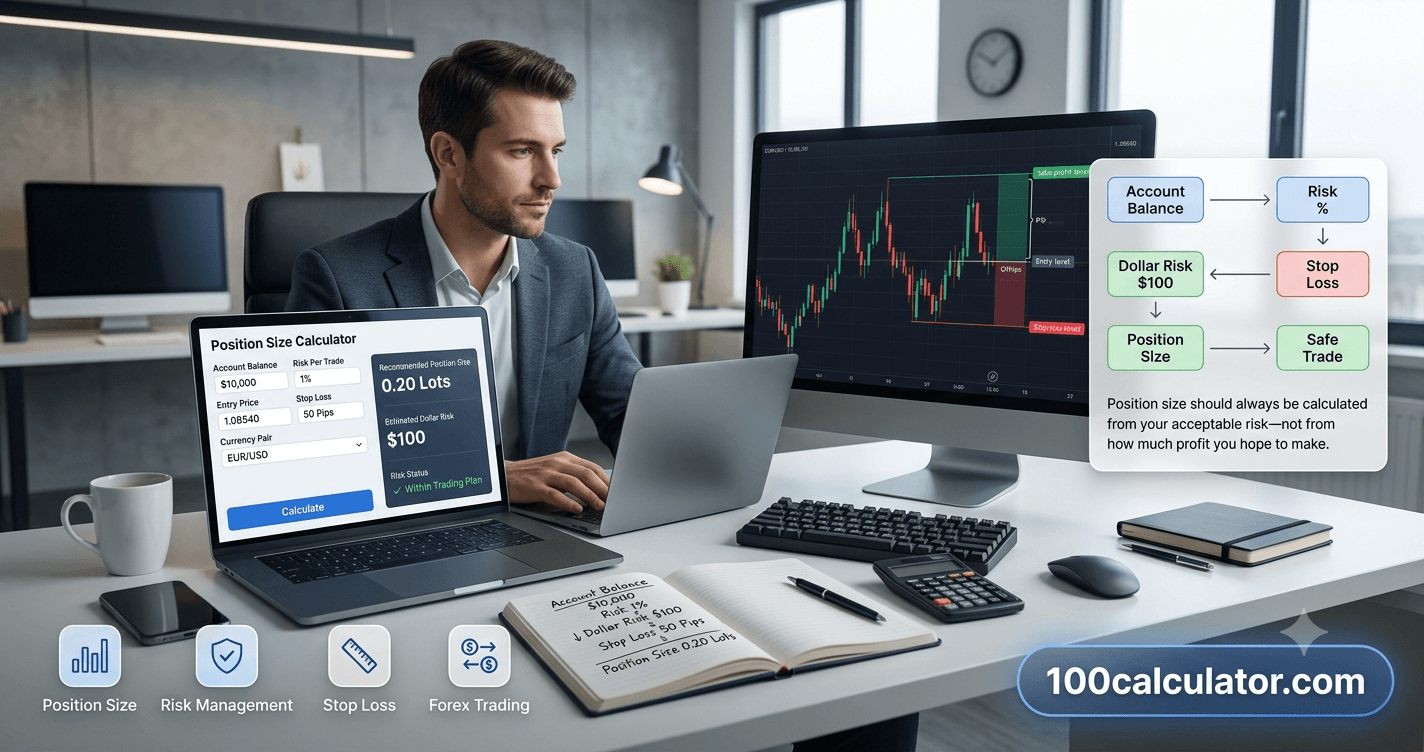
Most trading losses don't come from a bad entry. They come from a position that was too big for the risk being taken. Get the entry wrong with a small position, and it barely dents your account. Get it wrong with an oversized one, and a single trade can undo weeks of gains.
Position size is the number of units, shares, or lots you trade in a single position, calculated from your account balance, how much you're willing to risk, and the distance to your stop-loss. A position size calculator does this math instantly: you enter your account balance, risk percentage, and stop-loss distance, and it tells you exactly how many units, shares, or lots to trade.
This guide walks through the exact formula behind that math, shows how to apply it to forex, stocks, indices, and crypto, and clears up common lot-size confusion, like the difference between a 0.01 and a 0.10 lot. If you'd rather skip the manual math once you understand it, 100 Calculator's Position Size Calculator does all of this the moment you enter your numbers.
First, let's define exactly what position size means and why it matters more than most traders realize.
What Is Position Size in Trading?
Position size is the total amount of a financial instrument, shares, contracts, coins, or currency lots, you buy or sell in a single trade. It's usually expressed as a number of units (100 shares), a lot size (0.25 lots), or a dollar value ($5,000 worth of a stock).
Two traders can look at the same chart, draw the same entry and stop-loss, and still end up with completely different outcomes, simply because they sized their positions differently. The trader who calculated position size based on their account and risk tolerance survives a string of losses. The trader who just "traded what felt right" often doesn't.
A position size calculator removes the guesswork. You enter three things, your account balance, the percentage you're willing to risk, and your stop-loss distance, and it returns the exact number of shares, units, or lots to trade.
Position Size vs. Lot Size: What's the Difference?
These terms get used interchangeably, but they're not quite the same thing. Position size is the general concept, how big your trade is, in any market. Lot size is the specific unit forex brokers use to express that size, where 1.00 lot equals 100,000 units of the base currency.
In other words, lot size is how forex traders express position size. A stock trader might say "I bought 200 shares," while a forex trader says "I opened a 0.20 lot position." Both are answering the same underlying question: how big is this trade relative to my account and my risk?
Why Position Sizing Matters More Than Your Entry
It's tempting to spend most of your energy hunting for the "perfect" entry signal. But entry timing only decides whether a single trade wins or loses. Position sizing decides whether your account survives long enough for your strategy's edge to actually play out over dozens or hundreds of trades.
Here's the math that makes this obvious: losses and gains aren't symmetrical. A 20% loss needs a 25% gain just to break even, because you're now growing from a smaller base. A 50% loss needs a full 100% gain to recover. Oversized positions are what turn a normal losing streak, something every strategy has, into a setback that's genuinely hard to climb out of.
If oversized positions are the problem, calculating position size deliberately, every single trade, is the fix. That starts with a formula, not a feeling.
The Position Size Formula Explained
Every position-sizing formula, no matter the market, answers the same question: given how much I'm willing to lose and how far away my stop-loss is, how big can this trade be?
Universal Formula
Position Size = (Account Balance × Risk %) ÷ Stop-Loss Distance
Account Balance — the total capital in your trading account
Risk % — the percentage of your account you're willing to lose on this one trade
Stop-Loss Distance — the price difference between your entry and your stop-loss
Step One: Find Your Dollar Risk
Your dollar risk is simply your account balance multiplied by the percentage you've decided to risk. A $10,000 account risking 1% per trade has a dollar risk of $100. That $100 is the most you're willing to lose if your stop-loss gets hit, no matter how big or small the position ends up being.
Step Two: Know Your Stop-Loss Distance
Your stop-loss distance is the gap between your entry price and where you'll exit if the trade goes against you, measured in the instrument's own price units (dollars for stocks and crypto, pips for forex, points for indices). This distance should come from chart structure, like a recent swing low or a support level, not from how big a position you'd like to trade.
Once you have both numbers, dividing your dollar risk by your stop-loss distance gives you your position size. 100 Calculator's Position Size Calculator runs this exact calculation for you, in shares, units, or lots depending on the market.
Calculating Position Size Step by Step
Seeing the formula applied with real numbers makes it click faster than reading about it in the abstract. Here are two worked examples using the same underlying math.
Example: Sizing a Stock or Crypto Trade
Say you have a $10,000 account and you're willing to risk 1% on a stock trade. Your entry price is $50, and your stop-loss sits at $48.
- Dollar risk: $10,000 × 1% = $100
- Stop-loss distance: $50 − $48 = $2 per share
- Position size: $100 ÷ $2 = 50 shares
Notice that the position is worth $2,500 (50 shares × $50), roughly a quarter of the account, even though the actual dollar risk is just $100. Position size and "how much money you're spending" on a trade aren't the same thing, which is exactly why sizing from risk, not from account percentage spent, keeps losses predictable.
The same three steps work for crypto. With a $5,000 account risking 1% ($50) on a Bitcoin trade entered at $65,000 with a stop-loss at $63,000 (a $2,000 distance), the position size is $50 ÷ $2,000 = 0.025 BTC, worth about $1,625 at entry. 100 Calculator's Crypto Position Size Calculator handles this exact calculation for coins and fractional coins.
Example: Sizing a Forex Trade in Lots
Forex uses the same logic, but the formula is expressed in pips and lots instead of price and shares.
Forex Formula
Position Size (Lots) = Dollar Risk ÷ (Stop-Loss in Pips × Pip Value per Lot)
Dollar Risk — account balance × risk percentage
Stop-Loss in Pips — the distance between entry and stop-loss, in pips
Pip Value per Lot — around $10 per pip for a standard lot on most USD-quoted pairs
Say you have a $5,000 account, risk 1% per trade, and you're trading EUR/USD with a 25-pip stop-loss:
- Dollar risk: $5,000 × 1% = $50
- Pip value: ~$10 per pip for a standard lot
- Position size: $50 ÷ (25 × $10) = 0.20 lots
That's 0.20 standard lots, the same as 2.0 mini lots or 20 micro lots. If you're not sure which of those is right, the next section breaks lot sizes down in detail. 100 Calculator's Pip Value Calculator and Forex Lot Size Calculator can both help confirm these numbers for pairs where pip value isn't a round $10.
Understanding Lot Sizes
Forex brokers standardized lot sizes so traders could talk about position size in a consistent way, no matter the currency pair. Every lot size below is a fixed multiple of the same base unit.
| Lot Type | Lot Size | Units of Base Currency | Approx. Pip Value (USD pairs) |
|---|---|---|---|
| Standard Lot | 1.00 | 100,000 | ~$10 per pip |
| Mini Lot | 0.10 | 10,000 | ~$1 per pip |
| Micro Lot | 0.01 | 1,000 | ~$0.10 per pip |
| Nano Lot | 0.001 | 100 | ~$0.01 per pip |
Not every broker offers nano lots, so check your broker's minimum trade size before assuming it's available.
What Does 0.01 Lot Size Mean?
A 0.01 lot is one micro lot, equal to 1,000 units of the base currency. It's the smallest size most retail brokers offer, which makes it a common starting point for beginners trading live money, since each pip of movement is worth only about $0.10 on most USD-quoted pairs.
What Is 0.10 Lot Size? Is It a Micro Lot?
A 0.10 lot equals 10,000 units, which makes it a mini lot, not a micro lot. It's ten times larger than a 0.01 micro lot and one-tenth the size of a 1.00 standard lot. On most USD-quoted pairs, each pip of movement is worth about $1 at this size. Our guides on choosing the right forex lot size and standard vs. mini vs. micro lots cover this distinction in more depth.
Position Sizing for Forex, Indices, and Crypto
The underlying formula, dollar risk divided by stop-loss distance, stays the same across markets. What changes is how position size gets expressed and what you need to know about the instrument to calculate it correctly.
| Market | How Size Is Expressed | Typical Sizing Approach |
|---|---|---|
| Stocks | Number of shares | Dollar Risk ÷ (Entry − Stop, per share) |
| Forex | Lots (standard, mini, micro) | Dollar Risk ÷ (Stop in Pips × Pip Value) |
| Indices | Contracts or lots (broker-specific) | Dollar Risk ÷ (Stop in Points × Value per Point) |
| Crypto | Coins or fractional coins | Dollar Risk ÷ (Entry − Stop, per coin) |
Position Sizing for Indices
Indices don't follow one universal lot standard the way forex does. A broker might define one lot on an index like the S&P 500 or Nasdaq as a specific dollar value per point, and that value varies from broker to broker. The formula is the same, dollar risk divided by your stop-loss distance in points, but you'll need to check your specific broker's contract specification for the dollar-per-point value before running the calculation.
Position Sizing for Crypto
Most crypto exchanges let you trade fractional coins directly, so spot position sizing is often simpler than forex: dollar risk divided by the price difference between entry and stop gives you the quantity of coins to buy or sell, as shown in the Bitcoin example earlier.
For crypto futures or perpetual contracts traded with leverage, the same risk-based formula should still drive your position size. Leverage only changes how much margin you need to open the position, not how much you should risk based on your stop-loss. Our guides on sizing crypto positions based on risk tolerance and position sizing rules for crypto traders go deeper on this.
How Much Should You Risk Per Trade?
The risk percentage in the formula is the one input you choose yourself, and it's the single biggest lever you have over how much a losing streak can hurt you. A commonly cited starting range for retail traders is 1% to 2% per trade, though the right number depends on your strategy's win rate and your own tolerance for drawdowns.
The clearest way to see why smaller risk percentages matter is to look at what happens to an account after a string of losing trades, something every trading strategy eventually has.
| Risk Per Trade | Balance Remaining | Gain Needed to Recover |
|---|---|---|
| 1% | ~90% | ~11% |
| 2% | ~82% | ~22% |
| 5% | ~60% | ~67% |
| 10% | ~35% | ~187% |
Is 2% Risk Per Trade Good?
For many retail traders, 2% sits at the upper end of a reasonable starting range. It's aggressive enough to grow an account meaningfully on a winning streak, while still leaving room to survive a rough one, roughly an 18% drawdown and a 22% recovery gain after ten losses in a row, as shown above. Whether it's right for you depends on your strategy's actual win rate, which is worth tracking honestly before committing to any fixed risk percentage.
Can You Risk 10% Per Trade?
You can, in the sense that nothing stops you from typing a bigger number into the formula. But the table above shows why most experienced risk managers consider it far too aggressive: a losing streak that a 1% or 2% trader barely notices can put a 10%-per-trade account down 65%, needing a near-187% gain just to get back to where it started. 100 Calculator's Drawdown Recovery Calculator lets you run this math for your own account balance and drawdown scenarios.
Position Sizing on Prop Firm and Funded Accounts
Prop trading firms and funded account programs, FTMo being one well-known example, evaluate traders partly on how well they manage risk, not just whether they're profitable. Most of these programs enforce their own maximum daily loss and maximum overall drawdown rules, specifically to prevent oversized positions from damaging the firm's capital.
Risking 2% on FTMo and Similar Funded Accounts
Whether a given risk percentage fits on a funded account depends entirely on that specific program's rules, which can change and vary by account type. A firm with a tighter daily loss limit leaves far less room for a fixed per-trade risk than one with a looser limit, especially once you account for multiple open positions or several losing trades on the same day. Before assuming any standard risk percentage applies, check your specific funded account's current daily and maximum drawdown rules, and consider sizing below the maximum to leave a margin of safety.
Common Position Sizing Mistakes to Avoid
Even traders who understand the formula sometimes undermine it in practice. Here's what to watch for:
- Risking a fixed dollar amount instead of a fixed percentage, so risk doesn't scale as your account grows or shrinks
- Sizing based on potential profit instead of potential loss, which reverses the entire point of the formula
- Widening a stop-loss mid-trade instead of accepting the original planned risk
- Ignoring correlation between multiple open positions, since three correlated USD pairs can behave like one much bigger position
- Confusing available margin with safe position size, since a broker allowing a bigger position doesn't mean it fits your risk plan
- Not recalculating for every trade, since stop-loss distance changes from setup to setup
Our companion guide on position size mistakes every trader should avoid walks through several of these in more detail.
Related Calculators
Put what you just read into practice, try these free tools instantly, no sign-up required.
Pip Value Calculator
Calculate the value of a pip for any currency pair and lot size.
Position Size Calculator
Determine the right position size based on your risk tolerance.
Risk Reward Ratio Calculator
Compare potential risk against reward before entering a trade.
Drawdown Recovery Calculator
Calculate the gain needed to recover from a trading drawdown.
Trading Compound Interest Calculator
Project compounded returns on your trading account balance.
Position Sizing Tips for Scalping and Other Trading Styles
The position-size formula stays fixed, but the numbers you feed into it change a lot depending on how you trade.
What Lot Size Is Good for Scalping?
Scalping usually means very tight stop-losses, often just a handful of pips, held for seconds to a few minutes. Because the stop-loss distance is small, the formula often calls for a larger lot size than a swing trade would need to reach the same dollar risk. On a $50 risk budget, a 5-pip stop needs a 1.0 lot position, while a 50-pip stop on the same budget only needs 0.10 lots, the tighter the stop, the bigger the lot size has to be for the risk to stay the same.
Because of this, scalpers need to pay extra attention to spread and slippage, since a wide spread relative to a tight stop eats into the position-size math meaningfully. Many scalpers start with micro or mini lots while fine-tuning execution and platform reliability, then size up as both the strategy and their risk comfort prove out.
Position Sizing for Swing and Position Trading
Swing and position traders typically use wider stop-losses, sometimes 100 pips or more in forex, or a meaningful percentage move in stocks and crypto. That wider distance means a smaller lot size or share count keeps dollar risk the same, which is exactly why a formula-based approach works consistently across every style: position size adjusts automatically to the stop-loss distance your strategy actually uses, instead of the other way around.
Calculating Position Size by Hand vs. Using a Calculator
You can absolutely calculate position size with a plain calculator and the formulas in this guide, and it's worth doing by hand a few times so the logic sticks. But recalculating this before every trade, especially with a shifting account balance and a different stop-loss level each time, is exactly the kind of repetitive math a dedicated tool handles faster and with fewer mistakes.
Free Online Tool
Skip the manual math
100 Calculator's Position Size Calculator takes your account balance, risk percentage, entry price, and stop-loss level, and returns your recommended position size instantly, in shares, units, or lots, with no account or signup required.
You'll find similar tools elsewhere, too. Charting platforms such as TradingView offer built-in or community-built position size tools that calculate this automatically as you draw a stop-loss on the chart, and broker and trading analytics sites like Myfxbook or FXVerify offer their own dedicated position size calculators. All of them work from the same core formula covered in this guide.
Calculating Your "True" Position Size
Position size and margin used aren't the same thing, and mixing them up is a common source of oversized trades. Your true position size, also called notional value, is your position size multiplied by the current price. For example, 0.5 lots of EUR/USD (50,000 units) at 1.0850 represents about $54,250 of real market exposure, even though your broker might only require a fraction of that as margin, thanks to leverage.
Leverage changes how much cash you need to open a position, but it doesn't change your real market exposure or the dollar risk defined by your stop-loss. Our guide on how margin and leverage work together in forex goes deeper on this relationship, and 100 Calculator's Forex Margin Calculator can show you exactly how much margin a given position size actually requires.
Building a Position Sizing Routine That Sticks
The most reliable position-sizing method is the one you actually use on every trade, not just the ones where you remember to.
- Decide your risk percentage before you look at any chart, and keep it consistent from trade to trade, 1% to 2% is a common starting range for retail accounts.
- Set your stop-loss first, based on chart structure, not on how big a position you'd like to trade.
- Calculate position size from those two numbers every time, since stop-loss distance changes from setup to setup.
- Round down, not up, whenever the math gives you a fractional lot or share count your broker doesn't support.
- Re-check your numbers whenever your account balance changes meaningfully, so your risk percentage still represents the same real dollar amount.
Once this becomes routine, plugging your numbers into 100 Calculator's Position Size Calculator takes seconds, turning a habit that protects your account into one that barely interrupts your trading.
Trading risk disclaimer: This article is for general educational purposes only and isn't financial or investment advice. Trading forex, indices, cryptocurrency, and other leveraged instruments carries a high level of risk and can result in the loss of some or all of your invested capital. The examples and formulas in this guide are illustrative and don't guarantee any trading outcome. Always consider your own financial situation and risk tolerance, and consult a licensed financial professional before trading with real capital.
More From Our Trading Guides
Position sizing connects closely to a few other trading risk concepts. These related guides dig deeper into the topics touched on above.
Frequently Asked Questions
What is position size in trading?
Position size is the number of units, shares, lots, or contracts you buy or sell in a single trade. It's calculated from your account balance, how much you're willing to risk on that trade, and the distance between your entry price and your stop-loss. Instead of trading a "gut feeling" amount, position sizing ties trade size directly to your risk tolerance, so a single loss stays a manageable percentage of your account rather than an account-threatening one.
What is the formula to calculate position size?
The core formula is Position Size = (Account Balance × Risk Percentage) ÷ Stop-Loss Distance. First, multiply your account balance by the percentage you're willing to risk to find your dollar risk. Then divide that dollar risk by the distance, in price or pips, between your entry and your stop-loss. For forex specifically, the formula becomes Position Size (in lots) = Dollar Risk ÷ (Stop-Loss in Pips × Pip Value per Lot).
How do I calculate position size based on risk?
Start with your account balance and decide what percentage you're willing to risk on the trade, commonly 1% to 2%. Multiply the two numbers to get your dollar risk. Next, find your stop-loss distance from your entry price. Finally, divide your dollar risk by that stop-loss distance to get your position size in shares, units, or lots. A position size calculator handles all three steps for you instantly.
Is 2% risk per trade good?
For many retail traders, 1% to 2% per trade is a commonly used starting range, since it lets an account survive a losing streak without major damage. At 2% risk, ten consecutive losing trades bring an account down by roughly 18%, which is recoverable with about a 22% gain. Whether 2% specifically is right for you depends on your strategy's win rate and your own comfort with drawdowns, so treat it as a starting point rather than a fixed rule.
Can I risk 10% per trade?
You can, but it's widely considered high risk. At 10% risk per trade, just ten consecutive losing trades cut an account down by roughly 65%, and clawing back that loss requires close to a 187% gain. Most experienced traders and risk managers consider 10% per trade far too aggressive for sustainable trading, particularly for beginners who are still refining their strategy's win rate.
What does 0.01 lot size mean?
A 0.01 lot is a micro lot, equal to 1,000 units of the base currency. It's the smallest standard lot size most retail forex brokers offer, and it's commonly used by beginners or when testing a strategy with live money, since it keeps the dollar value of each pip movement small, often around $0.10 per pip for USD-quoted pairs.
What is 0.10 lot size in forex? Is it a micro lot?
A 0.10 lot equals 10,000 units of the base currency, which makes it a mini lot, not a micro lot. Micro lots are 0.01 (1,000 units), mini lots run from 0.10 to 0.90 (10,000 to 90,000 units), and standard lots start at 1.00 (100,000 units). For most USD-quoted pairs, a 0.10 lot moves about $1 in value per pip.
How many units is 0.1 lot size?
A 0.1 lot equals 10,000 units of the base currency. That's the size of one mini lot, ten times larger than a micro lot (0.01, or 1,000 units) and one-tenth the size of a standard lot (1.00, or 100,000 units). On most USD-quoted pairs, that works out to roughly $1 of value per pip of movement.
How much is 0.01 lot in XAUUSD (gold)?
With the 100-ounce contract size most brokers use for XAUUSD, 0.01 lot equals 1 troy ounce of gold, meaning roughly $1 of position value change for every $1 move in the gold price. Contract sizes for gold can vary between brokers, so it's worth confirming your specific broker's XAUUSD contract specification before calculating position size for a gold trade.
What lot size is good for scalping?
There's no single lot size that works best for scalping, since it depends on your account size, risk percentage, and how tight your stop-loss is. Because scalping stops are often very tight, sometimes just a handful of pips, the position-size formula frequently calls for a larger lot size than a swing trade would need to reach the same dollar risk. What matters more than a specific lot size is recalculating position size for each trade's actual stop distance.
Can I risk 2% per trade on a funded account like FTMo?
It depends entirely on that specific program's daily and maximum drawdown rules. Prop firms and funded account providers set their own limits, and a 2% per-trade risk might fit comfortably within one firm's rules while breaching another's daily loss limit after just two or three losing trades. Always check your specific program's current risk rules rather than assuming a standard percentage applies across every provider.
How do I calculate my "true" position size?
Your true position size, also called notional value, is your position size multiplied by the current market price. For example, 0.5 lots of EUR/USD (50,000 units) at 1.0850 represents about $54,250 of real market exposure, regardless of how much margin your broker required to open it. Leverage reduces the cash needed to open a position, but it doesn't reduce your actual market exposure or the risk defined by your stop-loss.
What is a position size calculator, and can it help my trading?
A position size calculator is a tool that takes your account balance, risk percentage, and stop-loss distance, then instantly returns the number of shares, units, or lots to trade. It removes manual calculation errors and makes it realistic to size every single trade consistently, which is one of the habits most consistently linked to long-term trading survival.
What is the "90% rule" in trading?
The "90% rule" is a widely repeated, informal claim in trading circles suggesting that around 90% of retail traders lose money, sometimes phrased as losing 90% of their capital within their first 90 days. The exact figures are difficult to verify and vary by source, but poor risk management, especially position sizes that are too large for the account, is consistently cited as one of the biggest contributing factors, which is exactly what proper position sizing helps prevent.
About 100 Calculator
100 Calculator is a free hub of online calculators and educational guides covering health, finance, trading, crypto, education, and more. Every tool, including the Position Size Calculator referenced throughout this guide, is built to be fast, accurate, and genuinely free, with no account or signup required.
We built this guide, and the risk management tools linked throughout it, to make position sizing something every trader can calculate correctly, not just something professionals do. Head back to the 100 Calculator homepage to explore the full library of tools, or learn more about the team behind them on our About Us page.